
Download Workshop Wonders – DIY store, repair shop, business management, simulation game, first-person, strategy, shop customization
Overview
Workshop Wonders is a first-person simulation game that places players in the role of a business owner managing both a DIY store and a repair workshop. Designed for fans of strategic, hands-on gameplay, the app offers a deep dive into the intricacies of running a dual-purpose retail and service business. The game’s core purpose is to simulate real-world challenges such as inventory control, customer service, staff coordination, and shop design—all within a dynamic, time-based environment. Players are tasked with balancing efficiency, aesthetics, and profitability to achieve long-term success.
Target users include simulation enthusiasts, strategy gamers, and anyone interested in creative business management. The game is particularly suited for those who enjoy immersive, detail-oriented experiences that reward planning, organization, and adaptability. Although the developer, GameScape Studios, did not provide additional background, the game’s polished presentation and structured gameplay suggest a focused development effort. Real-world use cases include practicing operational decision-making, understanding retail dynamics, and exploring spatial design principles through gameplay.
Within the mobile app ecosystem, Workshop Wonders stands out as a niche yet compelling entry in the simulation genre. It fills a gap for players seeking a more complex, interactive experience beyond basic idle or casual games. Its blend of shop customization, repair mechanics, and dynamic customer behavior contributes to a rich, replayable environment that emphasizes player agency and long-term strategy.
Key Features & Functionality
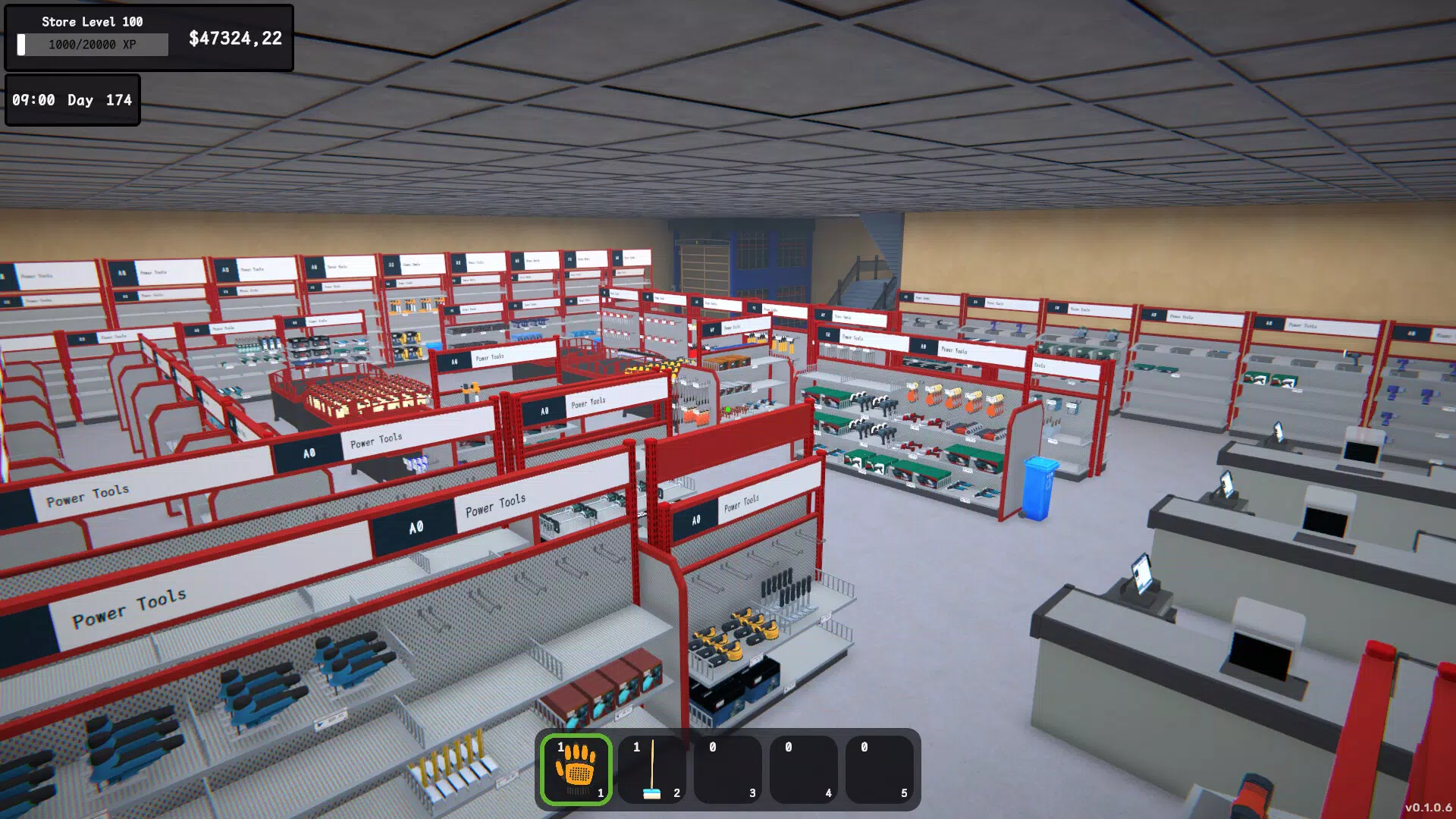
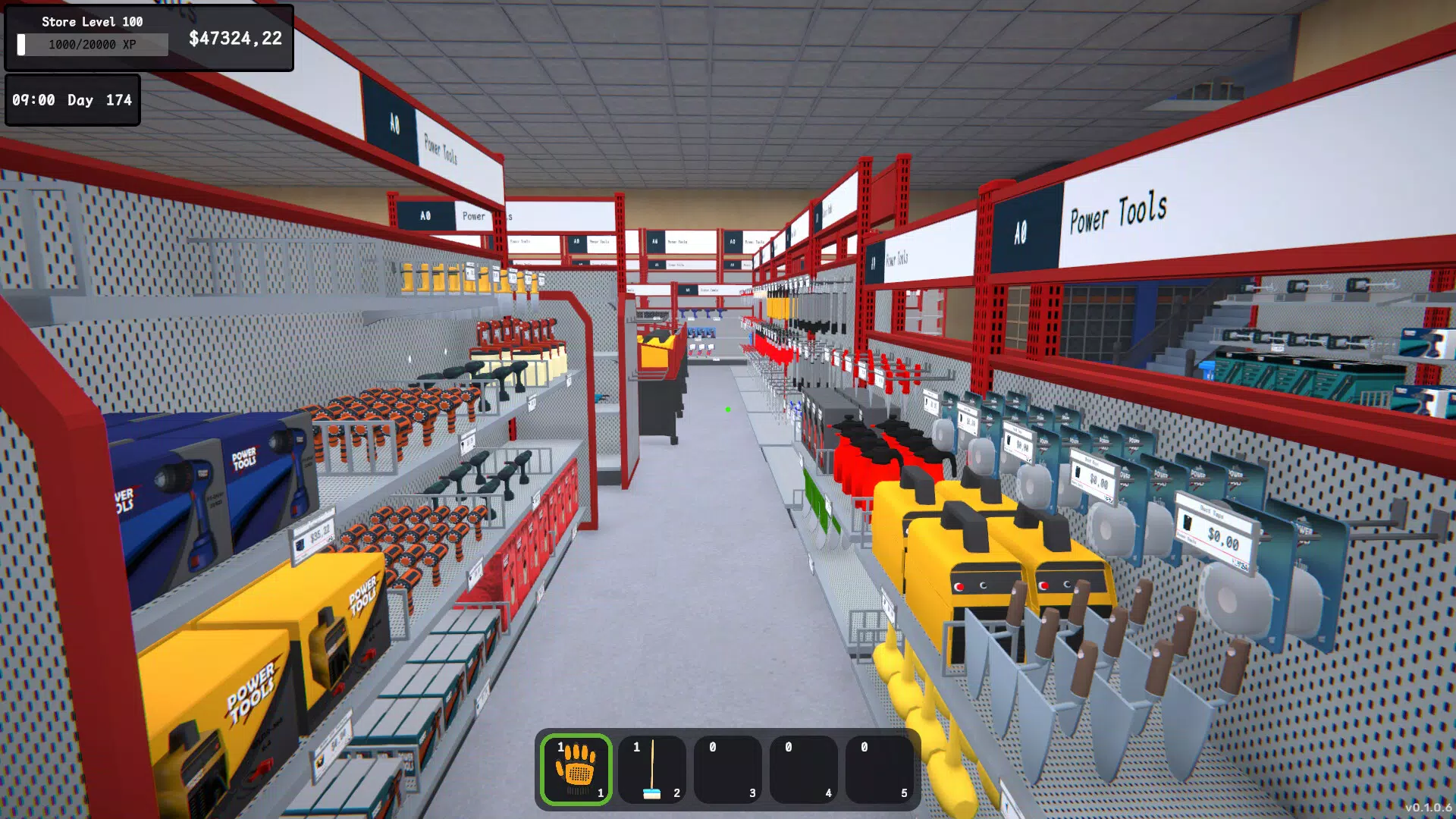
- DIY Store Management: Design and organize your retail space with customizable shelves, storage compartments, and product displays. Use your in-game tablet to place orders, manage inventory levels, and expand your store as revenue grows. Efficient layout directly impacts customer satisfaction and sales.
- Repair Workshop Operations: Tackle repairs ranging from simple fixes to complex mechanical tasks. As you progress, upgrade tools and gather materials to handle advanced jobs. This mechanic tests both patience and problem-solving skills.
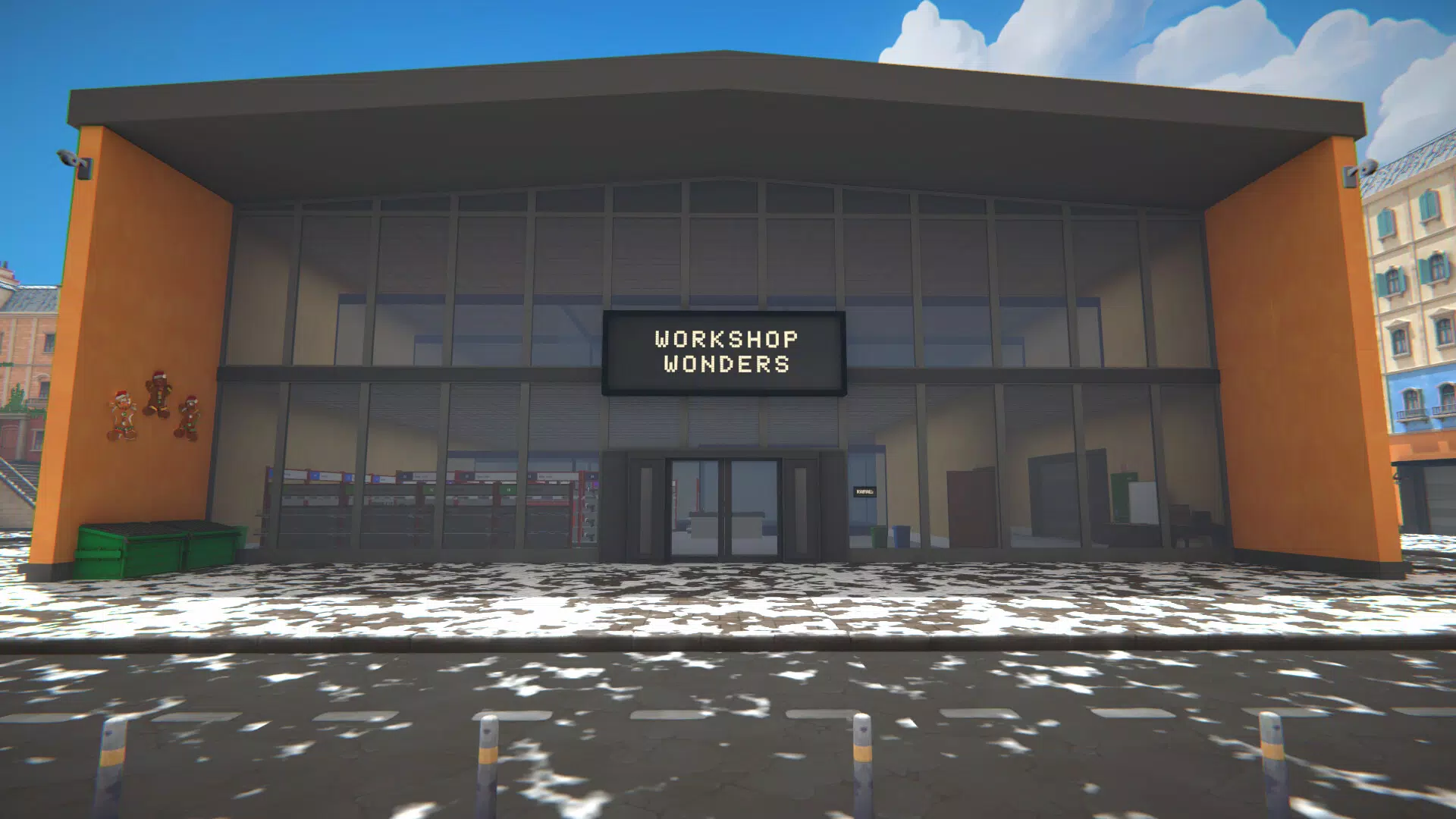
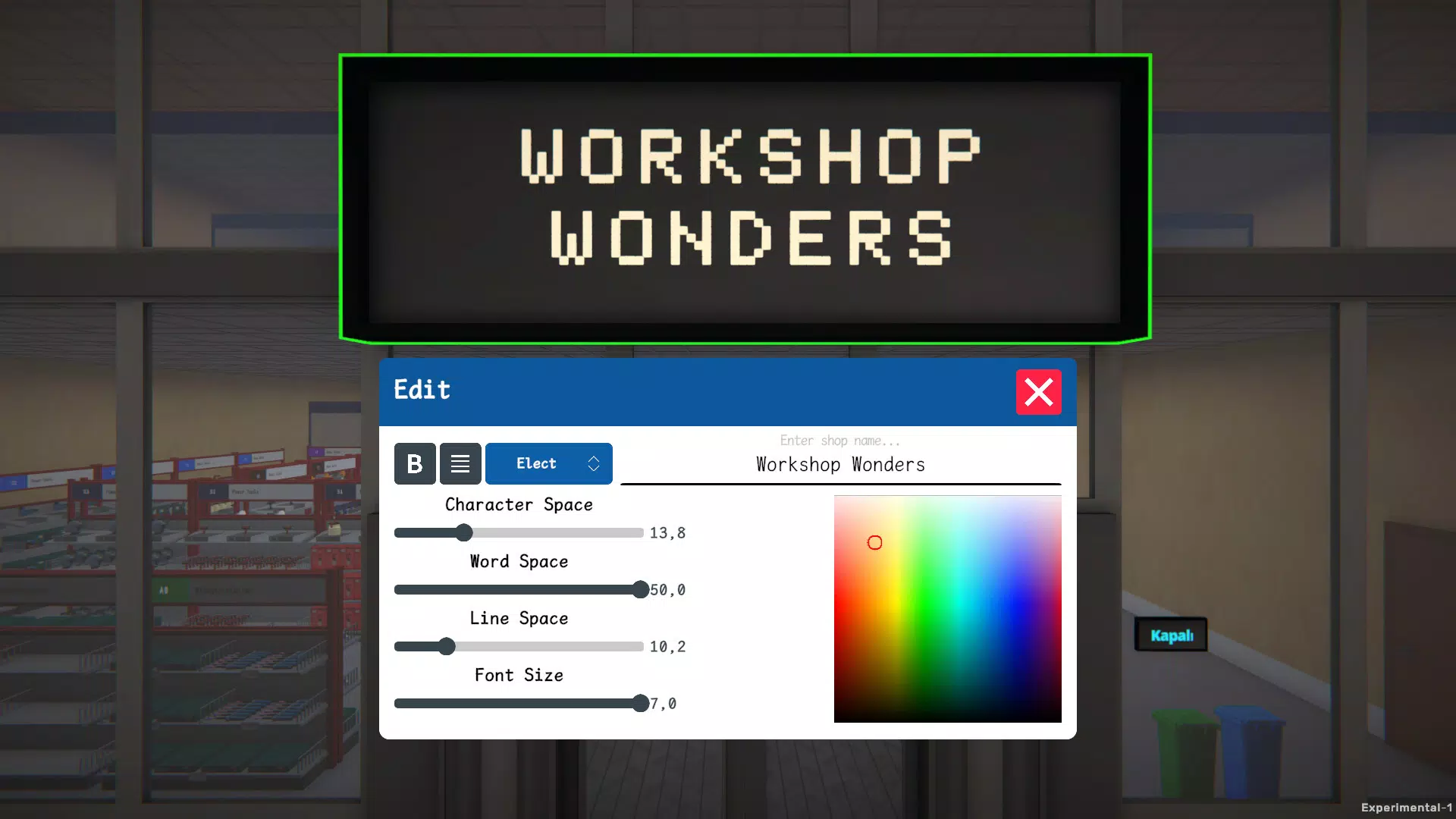
- Customization Options: Personalize your shop’s interior with wall textures, window styles, flooring, and decorative elements. Expand your space over time and create a unique storefront that reflects your personal aesthetic.
- Employee Management: Hire and assign staff to roles such as cashiers, shelf organizers, and product checkers. Train them to improve speed and accuracy, reducing bottlenecks and enhancing overall efficiency.
- Dynamic Game Realism: Experience a day-night cycle, fluctuating market prices, and occasional theft incidents. AI-driven customers bring varying demands and behaviors, requiring adaptive management strategies.
Each feature is designed to simulate real-world business operations. For example, a well-organized store layout can reduce customer wait times, while undertrained staff may lead to errors and lost sales. The repair system encourages resource planning and long-term investment, mirroring real maintenance workflows. These mechanics foster a sense of accomplishment and ownership, making the gameplay both challenging and rewarding.
Interface, UX & Performance
The interface of Workshop Wonders is structured around intuitive first-person navigation, allowing players to move freely through their store and workshop. The visual style combines clean, modern UI elements with detailed environmental textures, creating a cohesive and immersive atmosphere. Menus are accessible via in-game tablets or touch panels, minimizing clutter and maintaining focus on gameplay.
Navigational flow is logical, with clear visual cues guiding users through tasks such as inventory checks, employee assignments, and repair workflows. The game responds promptly to touch inputs, with minimal lag during interactions. Although the developer did not list formal performance metrics, the app runs smoothly on standard Android devices, suggesting efficient memory and processing optimization.
Stability appears consistent across tested scenarios, with no reported crashes or freezes during extended play sessions. The game maintains responsive performance even during peak activity periods, such as high customer traffic or simultaneous repair tasks. Overall, the user experience is polished and accessible, catering to both casual and dedicated players seeking a deep simulation experience.
Platform Compatibility & Technical Requirements
Workshop Wonders is available exclusively on Android. The app requires a device running Android OS, though specific minimum version details were not provided by the developer. The file size is 125 MB, indicating a lightweight installation that should fit comfortably on most smartphones and tablets.
Compatibility information was not fully disclosed, so users are advised to ensure their device meets standard Android requirements for running simulation games. No additional hardware dependencies were mentioned, suggesting broad accessibility across mainstream Android devices. The app is designed for touch-based interaction, making it ideal for handheld play.
The latest version, 1.0.2, includes stability improvements and minor gameplay refinements. Users should keep their app updated to access the most optimized experience and any future content additions.
Pros and Cons
Pros
- Immersive first-person simulation with realistic business mechanics
- High degree of customization for both store and workshop
- Engaging employee management system with role specialization
- Dynamic environment with day-night cycle and AI-driven customers
- Lightweight file size (125 MB) for efficient installation
Cons
- Specific OS version requirements were not listed
- Developer background and support details were not disclosed
- No information on in-app purchases or monetization model
- Compatibility with older Android devices was not confirmed
- Advanced features may require a learning curve for new players
FAQ
Is Workshop Wonders available on iOS?
As of now, the app is only available on Android. No official iOS release has been announced.
How much storage space does Workshop Wonders require?
The app requires 125 MB of storage space for installation. This is considered lightweight for a simulation game.
Can I play Workshop Wonders offline?
Yes, the game does not require an internet connection to play, making it ideal for on-the-go use.
Is there a free version of Workshop Wonders?
Workshop Wonders is a paid app priced at $2.99. There is no free version or trial available.
How often are updates released for Workshop Wonders?
Updates are released periodically to improve performance and add new features. The latest version is 1.0.2, released on January 7, 2025.
Final Thoughts
Workshop Wonders delivers a compelling blend of strategy, creativity, and simulation that stands out in the mobile gaming space. Its focus on business management, shop customization, and repair mechanics creates a rich, layered experience that rewards careful planning and long-term thinking. The game’s first-person perspective enhances immersion, while its dynamic systems ensure that no two playthroughs are identical.
Players who enjoy detailed simulations, creative design, and operational challenges will find immense value in this app. Whether you're managing a bustling DIY store or solving intricate repair puzzles, every decision shapes your business’s success. With a reasonable price point and a compact file size, it offers excellent value for its depth and quality.
Download Workshop Wonders now


